Reelish for Android
Discover movies and TV series, keep your watchlist in sync and watch with friends on your Android phone or tablet.
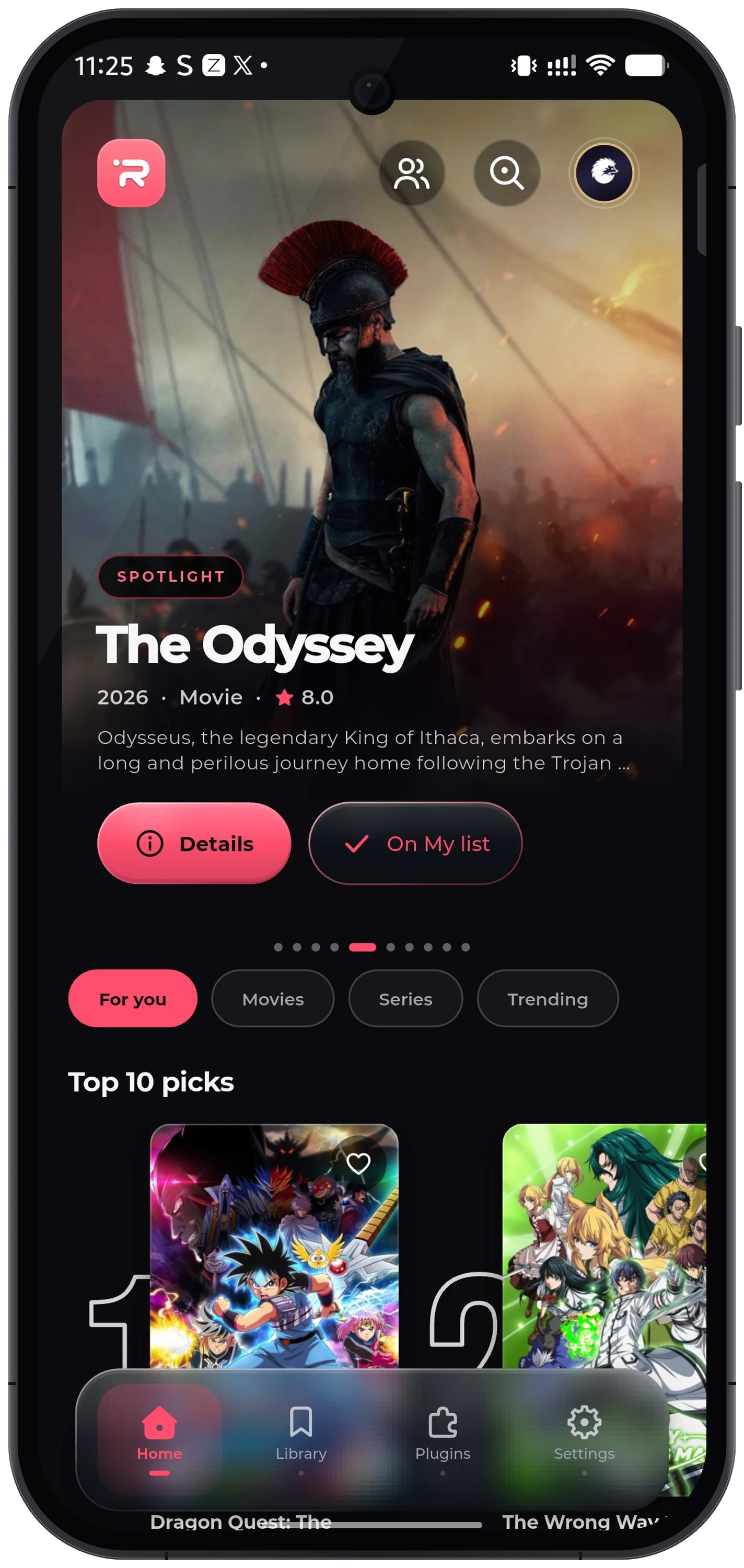
Reelish on Android is built for touch: a dock with Home, Library, Plugins and Settings, personal recommendation rows, and a full-screen player with gestures. It’s free, with no subscription and no ads in the app.
What you get on Android
- Discovery that learns your taste. Pick the genres you love and Home fills with rows like Because you watched and Top 10 picks. One search finds movies, series, people and collections.
- Your library everywhere. Sign in with a free Trakt account, and Continue watching, your collections and favorite genres follow you to your TV and PC. See Signing In and Syncing.
- Watch together. Join a Watch Party with a code and play in sync with friends, with reactions and chat, or send titles to friends in Messages.
- A player built for phones. Automatic intro skipping, audio tracks named by language, styled subtitles and picture in picture. See Playback Settings.
- Alerts for new episodes. Notifications for new episodes, seasons and release dates, with quiet hours.
Install Reelish on Android
Reelish isn’t on the Play Store. It’s installed from an APK published on the project’s GitHub Releases page, the only official source.
- Tap Download the APK above on your phone or tablet.
- Open
reelish.apkfrom your downloads. If Android asks, allow installs from your browser (Allow from this source). - Tap Install, then Open.
- Agree to the privacy policy and terms, sign in with Trakt, and pick a few genres you enjoy.
The full walkthrough, including Play Protect warnings, is in Installing on Android. If something goes wrong, see Installation Issues.
Reelish doesn’t host media and ships without streaming sources. To play a title, add a plugin collection from the Plugins tab. Read Understanding Third-Party Plugins first.
Updates
Reelish checks GitHub for new releases and offers to install them. Before Android’s installer opens, it checks the file’s checksum, version and signing key, so only a genuine Reelish release is installed. See Updating Reelish.
Privacy on Android
On first launch, Reelish asks once whether you’d like to share usage statistics and crash reports. Both are optional and off unless you choose to share. Favorites, settings and plugins stay on your device. See the privacy policy.
Other devices
The same APK also runs on Android TV and Google TV, with a layout built for the remote. On a PC, use Reelish for Windows.