Reelish for Android TV & Google TV
Browse movies and TV series from the couch, with a big-screen layout built for your remote.
The Reelish APK you install on a phone also runs on Android TV and Google TV. On a TV it switches to a layout designed for the living room: a side rail for navigation, large artwork, readable text, and everything reachable with the remote’s D-pad.
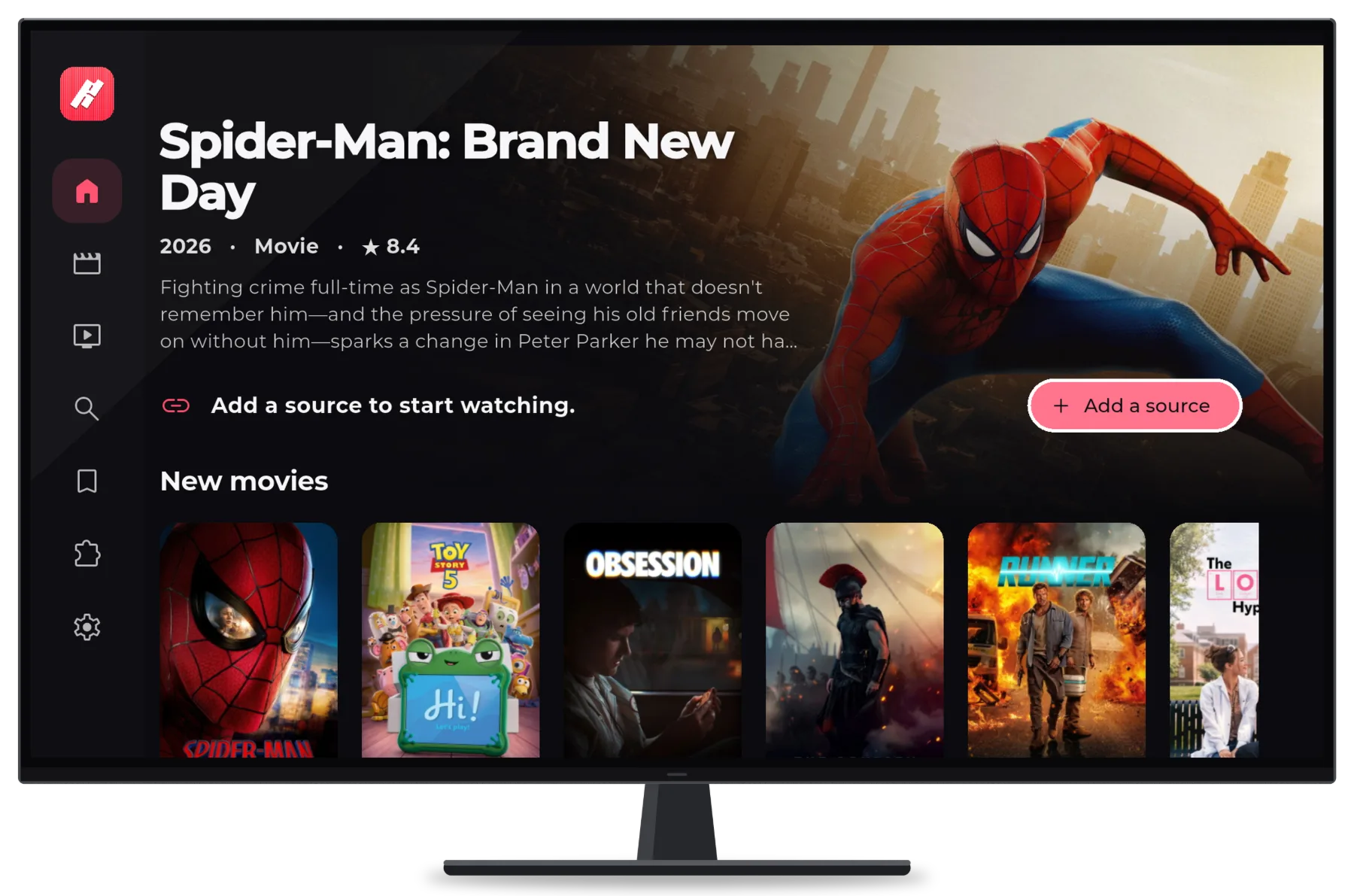
Made for the big screen
- Remote and D-pad navigation across every screen, with a side rail for quick switching between sections.
- Large artwork and readable text that’s easy to browse from across the room.
- The same library, plugins and settings as on your phone, so what you started on one device is ready on the other.
- Sign in without typing a password. The TV shows a code; approve it on your phone or computer and the TV continues by itself.
- Join a Watch Party from the couch. Enter the party code with the remote’s number pad and play in sync with friends. See Watch Party.
Install Reelish on a TV
Reelish isn’t in the Google Play Store, so it’s installed from the APK on GitHub Releases, like any app installed outside the store. Menu names vary between TV models and Android versions, but the steps are the same:
- Get
reelish.apkonto the TV: download it with a browser or downloader app on the TV, or copy it from your computer with a USB drive or a file-transfer app. - Allow the app you’ll open the APK with to install apps. On Google TV and recent Android TV versions this is under Settings → Apps → Security & restrictions → Unknown sources. Some devices only show it after you turn on Developer options.
- Open the APK with that app and choose Install.
- Open Reelish from your apps. If it isn’t on the home screen, look in the full apps list.
Download Reelish only from GitHub Releases or the download buttons on this site. APKs from other sites may be outdated or modified. See Downloading the APK.
Sign in on your TV
- Choose Sign in with Trakt.
- On your phone or computer, go to the address shown and enter the code.
- Approve Reelish. The TV continues by itself. If the code runs out, choose Get a new code.
You need a free Trakt account. See Signing In and Syncing for what syncs between devices.
Add a provider and start watching
Reelish doesn’t host media and ships without streaming sources. Add a plugin collection from Plugins, following Adding Plugin Collections. Providers are independently operated, so install collections only from publishers you trust.
Other devices
Use the same account on your Android phone or tablet and on Windows, and pick up where you left off.